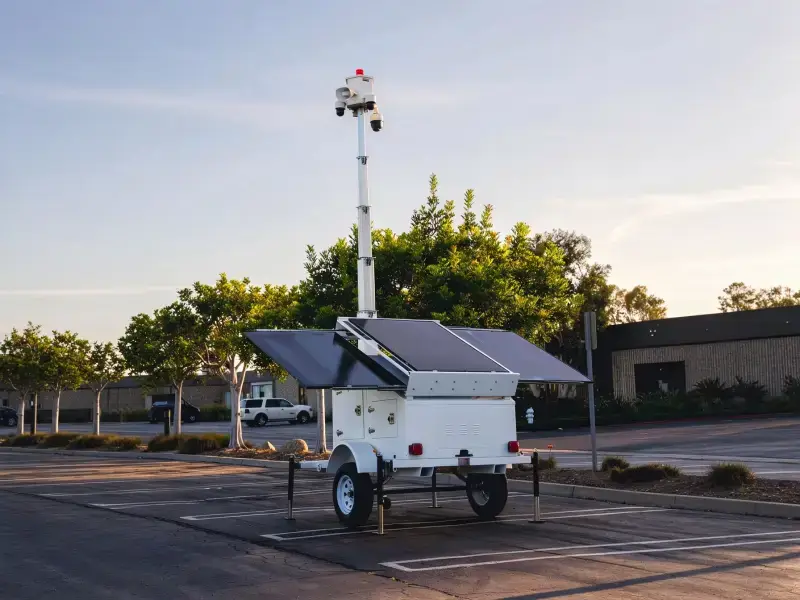
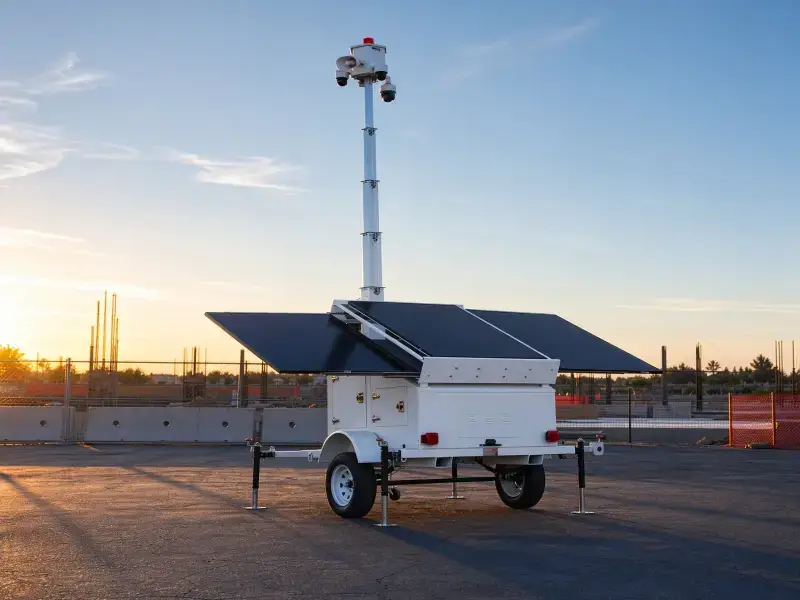
Security cameras are now a normal part of homes, shopfronts, construction sites, and remote work yards. People fit them to discourage theft and to keep a record of what happened when nobody was on site. The same feature that lets an owner check a live view from a phone also creates an uneasy question. Can you tell when a stranger, a manager, or a monitoring room is watching the feed? That question matters just as much for a house as it does for a row of off-grid units guarding an empty yard at night.
In most cases the camera gives no signal that a person is watching at that moment. Live viewing is usually silent, so you have to rely on indirect clues. A status light may act differently, a pan-tilt camera may turn on its own, an access log may show an unfamiliar login, or the device may start sending more data. The access log is the clearest evidence on an IP camera. With a simple analog setup wired to a local recorder, nobody can watch from a distance at all.
The sections below separate the physical clues from the digital ones and show what each can actually prove.
Can you tell when someone is watching a CCTV feed?
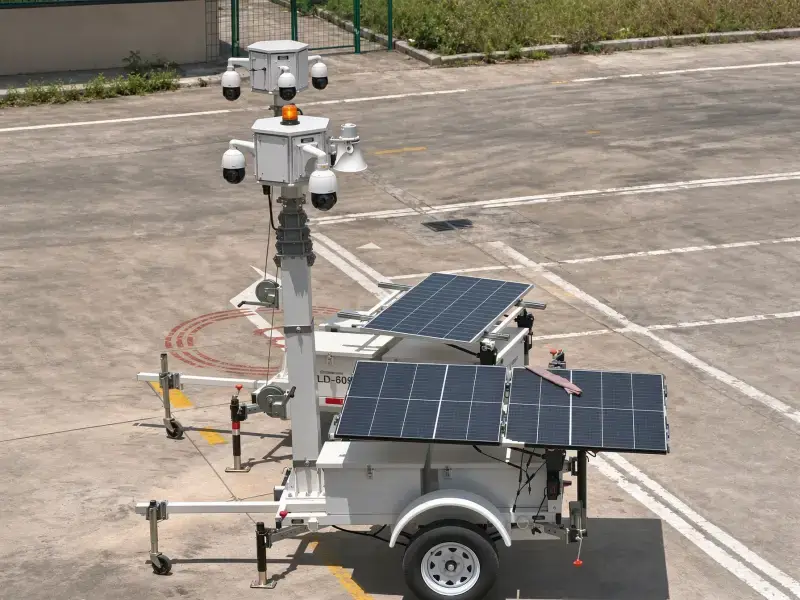
You rarely see the viewer, but you can work out who has the ability to watch. Start with how the system is wired. An analog camera connected only to a local recorder can be viewed by someone standing at that recorder. An IP camera, or a cellular camera mounted on one of the solar surveillance trailers used at remote sites, can be opened from anywhere by someone holding valid credentials.
Unlike a television broadcast, a closed-circuit television feed is not meant for a public audience. The term “closed circuit” simply means the signal goes to a limited set of screens or recorders instead of being transmitted to everyone. That small audience is exactly why watching is hard to detect. There is no outward sign when a person opens a stream, and the camera carries on recording whether one person is watching or none.
Legitimate viewers usually come from three groups. The owner or site operator checks the feed directly. Monitoring staff hired to respond to alerts watch when an event fires. An installer may keep a service account long after the work is finished. The third group is the one people forget, and it is often the source of unwelcome views. If you want a clear answer, list every account that can reach the device and match each one to a real person.
What physical signs show a camera is active or being watched?
Physical signs are useful for confirming that a camera is running, but they are weak evidence that a person is watching right now. A light, a turning lens, or an infrared glow can all be triggered by normal operation. Treat them as prompts to check the system logs rather than as proof.
On a fixed camera there is little to observe beyond a status light. A pan-tilt-zoom unit moves, which gives you more to read and more chances to misread it.
Indicator lights and what they really mean
Most cameras carry a small LED near the lens. A steady light usually means the unit has power and a network link. A blinking pattern often points to recording or motion events. Colors vary between makers, so the manual is the only reliable guide to what a given color means on your device. Some cameras let the operator dim or switch the LED off for discreet operation, which means a dark lens does not prove the camera is idle either.
One question comes up more than any other: does a blue light on camera mean someone is watching? It usually does not. Blue commonly marks power, pairing, or a network connection, not a live viewer. The light tells you the hardware is awake. It cannot tell you whether a human eye is on the other end of the stream.
Pan-tilt-zoom movement
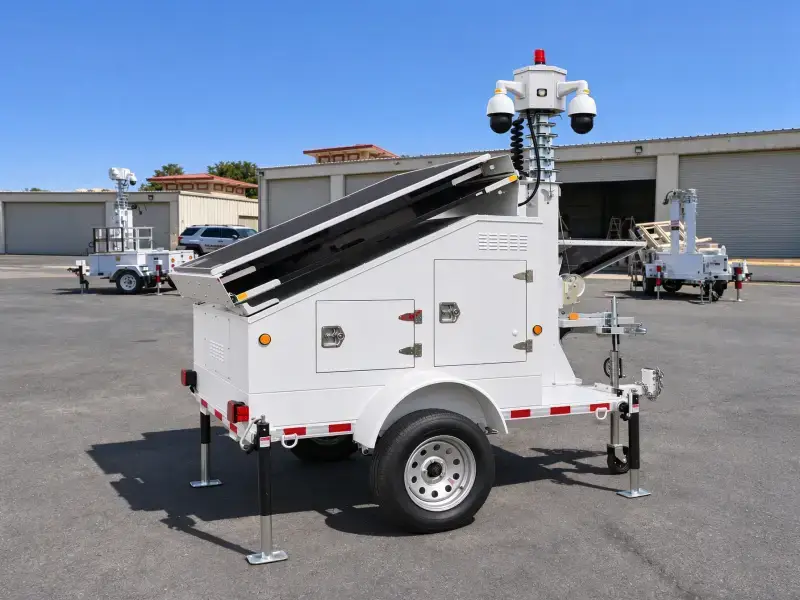
A PTZ camera sweeps through a programmed patrol or follows motion it detects. That movement is automatic and happens with nobody watching. The sign worth attention is movement outside the usual pattern at a time when no schedule should be running, especially on a solar cctv trailer parked at a closed site. If the lens turns toward you as you cross the yard, it may be following motion rather than obeying a person.
On a solar trailer CCTV unit the camera sits high on a mast, so its patrol route is easier to see from the ground. Learn the normal route and the times it runs. A change becomes obvious once you know the baseline.
Infrared glow at night
Point a phone camera at the lens in a dark room and you may see a faint purple or red dot. Those are infrared LEDs used for night vision, and phone sensors pick up light the human eye cannot see. The glow confirms that the night vision circuit is working. It says nothing about who is viewing the picture, and the camera will illuminate the area whether the stream is open or closed.
How do you check access logs and connected devices?
The log is the best place to look. It records logins, times, and often the IP address or app that connected. If you manage the system, compare those entries against the people who should have access. If you do not manage it, the log may not be available to you, and that is itself a useful answer.
Review login history and IP addresses
Open the camera app or the recorder interface and find the access or event history. Look for logins at odd hours, addresses you do not recognize, and repeated failed attempts. Write down the entries you expect before you start, so a strange one stands out against the familiar ones. On a shared system, check whether a second user account was added that you did not create. A mobile surveillance trailer camera system usually ties accounts to a management platform, which makes this review possible from a phone or laptop without visiting the site.
Check devices on your router
Log in to the router and read the connected device list. Cameras, recorders, and cellular gateways appear by name, IP, and MAC address. Count the devices you know. Anything extra deserves a closer look, though a phone or a smart television can be mistaken for an intruder. On a unit with its own SIM card, check the data usage for the billing period as well. A steady climb in uploaded data can mean someone is streaming the feed away from the site.
Can your phone detect hidden cameras or listening devices?
A phone can help, but it will not find everything. Its camera can reveal infrared emitters, its flashlight can catch a lens reflection, and its Wi-Fi scanner can list nearby devices. Each method misses wired gear, powered-off devices, and cameras on a different network.
Start in a dark room. Open the camera app and sweep the area slowly, watching the screen for bright dots that your eyes cannot see. Then turn on the flashlight and shine it at likely hiding spots from a low angle. A glass lens reflects a small, sharp point of light that plastic does not. Move closer and change the angle before you conclude anything, since screws and glossy trim also glint under a torch.
For network devices, connect to the local Wi-Fi and run a scanner app, or read the router client list. Look for generic names, strings of numbers, or entries labeled cam, camera, or DVR. A camera that records to a memory card with no wireless link will never appear here. That limit matters in rented rooms and hotel suites, where a device may be completely local.
How to check for listening devices in your home
Listening devices need power and a way to send or store sound. Sit in silence for a minute and listen for a faint hum, click, or static that does not belong to anything in the room. Walk around with the phone on a call and note places where the signal breaks up in one spot, which can hint at a transmitter. Phone apps that claim to sweep a room with the camera are unreliable. A network scan and a careful visual check are more useful.
An RF detector can help when a wireless transmitter is suspected, but it will flag ordinary routers and Bluetooth gear too, and it cannot find a wired microphone. If you find a device in a private space, treat it as a safety issue and get advice rather than confronting anyone on the spot.
Who watches a solar surveillance trailer, and how is access controlled?
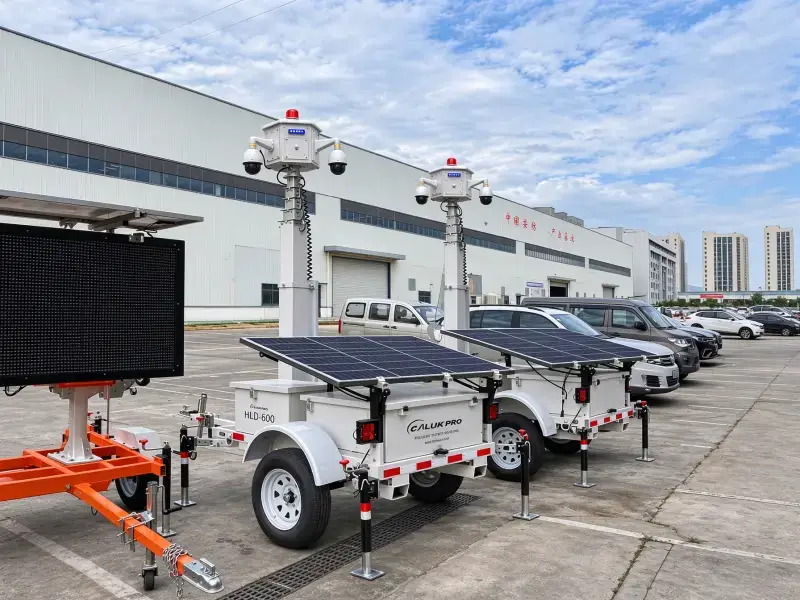
Access depends on the account structure, not on the hardware. The owner, a contracted monitoring center, and sometimes an installer each hold a separate login. If you want to know who is watching, ask who has an account and check what that account has opened.
A towable unit differs from a wall camera because it brings its own power and network. Panels charge batteries, a mast lifts the cameras, and a cellular link carries video to a platform. That platform is where access is granted or refused. Some sites use solar surveillance lighting trailers that pair floodlights with cameras; the same rule applies, because whoever holds the platform account can view the stream.
Monitoring staff may watch only when an alert fires, or they may watch continuously during a shift. Portable surveillance cameras on trailers are often hired for a single project, which means the rental company may keep an account after the site handover. Ask for that account to be closed in writing. An advanced mobile surveillance trailer can support several roles, so request a list of every role and the people assigned to it. A mobile surveillance vehicle used across several yards carries the same risk if credentials are shared between drivers.
What should you do if you suspect unauthorized access?
Change the passwords, remove accounts you do not recognize, and update the firmware before you investigate further. Those steps close the obvious doors while you work out how the intrusion happened.
- Change the password on the camera, recorder, and app. Use a long, unique value for each device and replace any default credential.
- Turn on two-factor authentication where the platform supports it.
- Check the user list and delete unfamiliar accounts, including old installer logins.
- Update the firmware. Fixes for known flaws ship this way, and an old version leaves those flaws open.
- Move cameras onto a guest network or a separate VLAN so a compromise does not reach computers holding sensitive files.
- Disable remote viewing you do not use, and reach the device through a VPN instead of an open port.
- Review the router and cellular data again a week later to confirm the extra traffic stopped.
If you are comparing surveillance trailers for sale, ask the supplier how accounts are provisioned and whether service access can be limited to a fixed period. A mobile surveillance trailer for sale that ships with shared credentials is a problem you inherit on day one.
How do you choose a system with clear monitoring controls?
Choose on the basis of what you can audit. A system that logs every login, separates user roles, encrypts the stream, and keeps both local and cloud records gives you a way to answer the question later.
Buying decisions often start with camera resolution and battery size. Those matter, but neither tells you who watched the feed. Add the checks below to your shortlist before you compare prices.
| Feature | Why it matters |
|---|---|
| Access log with timestamps | Shows who connected and when |
| Separate user roles | Limits what a contractor can see |
| Encrypted cellular link | Reduces the chance of casual interception |
| Local and cloud storage | Keeps a record if the network drops |
| Timed service accounts | Closes installer access after handover |
| Visible status light | Makes the device easier to audit on site |
Terminology is worth a moment too. A search for a camera movie trailer brings up film previews, not security equipment, and vague phrases waste time. Use precise terms such as solar surveillance camera trailer or solar surveillance trailer for sale when you compare specifications. A solar surveillance trailer with a documented access policy is easier to manage than one that relies on a single shared password. For a broader view of how mobile units are used in the field, this overview of mobile solar traffic safety solutions covers setups that pair cameras with warning equipment.
Frequently asked questions
Can an employer watch CCTV footage without telling staff?
Rules vary by country and by state, so there is no single answer. In many places an employer may monitor work areas but must post a notice, and recording in toilets, changing rooms, or break areas is usually prohibited. Audio recording carries stricter rules than video because it can capture a private conversation. Check the law where you work before you assume either way, and read the workplace policy you signed.
Does covering a camera lens stop recording?
Covering the lens blocks the picture in most cases. It does not stop the device from powering on, and it does not necessarily stop a microphone. Some cameras send a tamper alert when the view is blocked, which draws attention to the act rather than hiding it. If your goal is privacy, check whether the unit records audio and whether a local rule protects the space you are in.
How long is CCTV footage kept?
Retention depends on storage and policy. A small memory card may hold a few days, while a larger drive or a cloud plan can hold weeks or months. Many organizations keep footage only as long as they need it for an incident, then overwrite it. If you need a copy, request it soon after the event, because the system may recycle that space without warning.