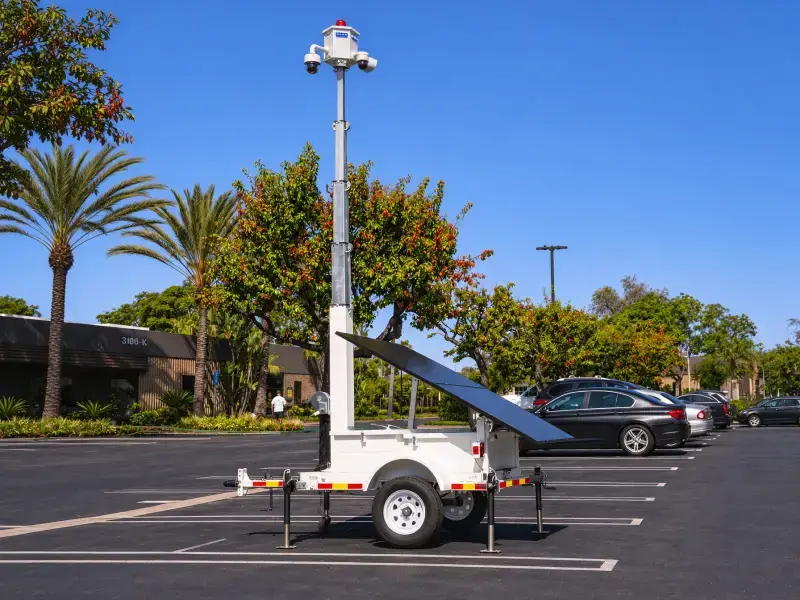
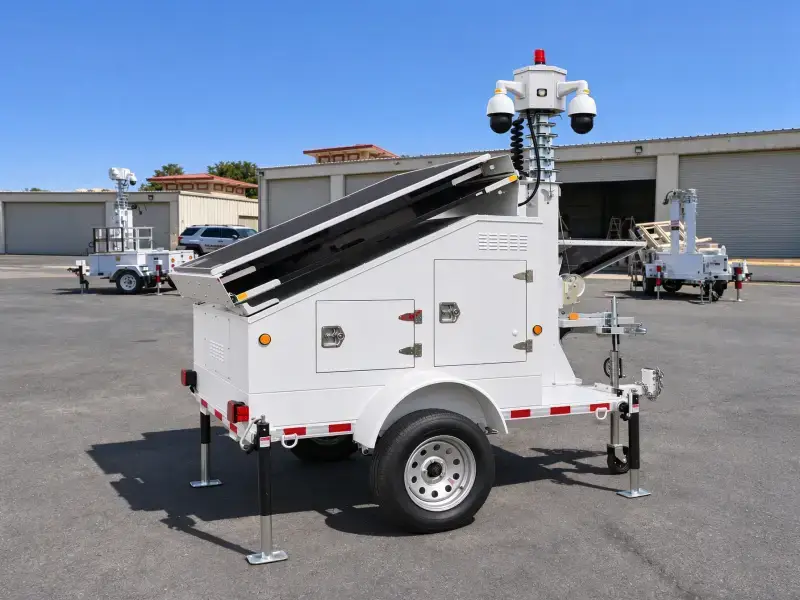
Cameras now sit above shop entrances, in parking lots, along remote work sites, and on tall mast trailers that arrive with the crew. When you walk past one, it is hard to know whether the lens is live, recording, or just a box with power going to it. For a site manager the question matters more than idle curiosity: an idle camera means a gap in coverage, and a gap in coverage is a risk someone has to own.
A camera that is on usually shows at least one visible sign: a status light on the housing, a dim red glow around the lens in low light, or a pan-tilt unit that turns on its own. Any one of those signs can also mean standby, not recording, so the practical answer comes from combining several checks. If you control the device, its app or management platform gives the clearest confirmation.
The sections below go through each signal in order, then explain how the same checks change when the camera sits on a mobile tower instead of a building.
How can you tell if a surveillance camera is on?
Start with the housing, then cross-check what you see against the device’s app or platform. A light, an infrared glow, or lens movement each tells you the camera has power, but only the software can tell you whether it is actually capturing footage.
Read the indicator light
Most network and analog cameras carry a small LED near the lens or on a side panel. A steady or blinking light generally means the unit has power and its board is running. The color is not a universal signal, and that is where most guesses go wrong. Some models let the owner switch the light off in settings, so an unlit camera is not automatically a dead one. When you are looking at someone else’s device, treat the light as one clue rather than a verdict.
Position helps. A light next to the lens is often tied to status or night vision, while one on the rear near a cable entry tends to report power or network link. If the device is yours, the companion app will name the state directly. If it is not, note the color and the blink pattern before trying to interpret them.
Look for infrared night vision
After dark, look closely around the lens. A faint red ring usually means the infrared illuminator is on. IR light sits outside what the human eye sees well, but a phone camera can often pick it up: point the phone at the device in a dark room and check the screen for a glow. Infrared illumination is a standard part of closed-circuit television systems, used so a camera can still produce an image with little ambient light.
One caution. IR can be active while recording is not, and in some cameras the illuminator switches on with motion detection. A red glow tells you the sensor is working in low light, not that a clip is being written to storage.
Watch for lens or PTZ movement
A pan-tilt-zoom camera gives away its state through motion. If the head turns, tilts, or sweeps back and forth without anyone touching it, the unit is powered and its motors are responding to a patrol or tracking rule. A faint whirring sound often comes with the movement. Fixed cameras will not move, so check alignment instead: a lens that sits centered and sharply focused is more likely to be live than one that is loose or covered.
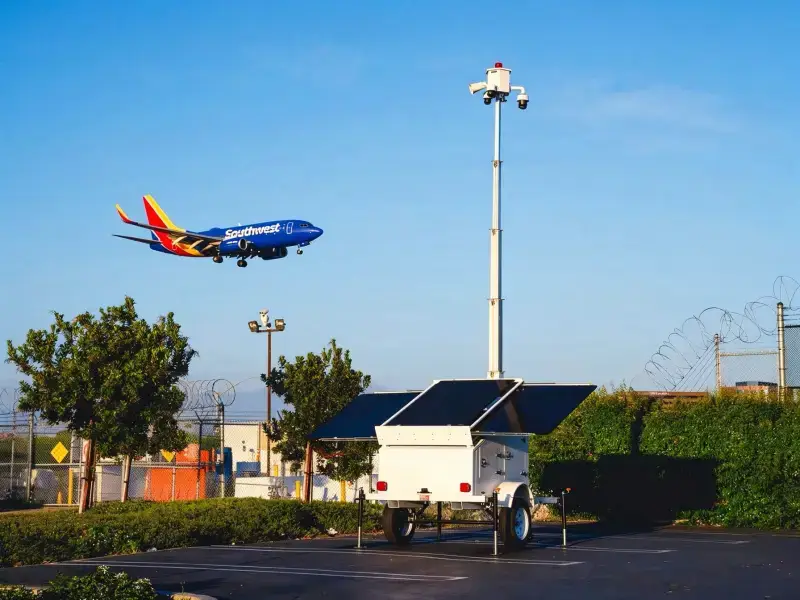
What does a red or green light on a camera mean?
A red light most often means power, infrared night vision, or pairing mode, while a green light usually points to a healthy network connection. Neither color proves that video is being saved. Meanings differ between models, so the manual or the app is the only reliable decoder.
Red, green, blue, and no light
People ask whether a red light means someone is watching, or whether green means the camera is recording. The short answer to both is no, not by itself. Manufacturers use these colors loosely, and the same color can carry a different message on two devices sitting on the same wall.
| Indicator | Common meaning | What it does not prove | How to confirm |
|---|---|---|---|
| Red, steady | Power on, or IR night vision active | That recording is running | Check app status or the model manual |
| Red, blinking | Pairing, a fault, or a motion event on some units | That a viewer is watching live | Read the event log |
| Green, steady | Network link established and unit running | That footage is being stored | Open the live feed or recording history |
| Blue | Active connection or recording on certain models | A universal state across brands | Match against the manual |
| No visible light | Indicator disabled, or camera unpowered | That the camera is off | Check the router device list or platform status |
The pattern matters as much as the color. A slow blink usually reports a normal state such as pairing or standby, while a rapid blink can flag a fault. Because there is no shared standard, a label on the unit or a line in the setup guide is worth more than any general rule.
How can you tell if someone is watching you?
You cannot see a live viewer from outside the camera, but you can tell whether the unit is online and communicating, and you can spot the signs that someone else has taken control of it. Network status and account activity are more useful here than the light on the housing.
Check network and app status
If you have access to the router, open the list of connected devices. An active IP camera appears there with a name or hardware address, and its presence confirms it is powered and talking to the network. A scanning app can do the same job on a phone. Where a camera platform is available, the dashboard is better still: a live thumbnail, a connection badge, and a timestamp for the last motion event together tell you when the device last did useful work.
On a site with many units, this check scales well. A camera that drops off the platform shows a last-seen time rather than a live feed, which is usually the first sign of a power or link problem rather than a privacy issue.
Signs a camera may be compromised
Unauthorized access is uncommon on devices from established manufacturers, which ship encryption, secure login, and firmware updates. It is still worth knowing the warning signs:
- The head pans or tilts when nobody is controlling it.
- Voices or unusual audio come from a camera with a speaker.
- Network data usage rises without a clear reason.
- Login alerts appear for sessions you did not start.
- Recordings or settings change without your input.
If several of these show up together, update the firmware, replace the password with a unique one, turn on two-factor authentication where it is offered, and review the device list on the network. Keep the response measured: a single odd event is more likely a loose mount or a patrol rule than an intruder.
Is the camera recording or just on standby?
A camera with a lit indicator is on, but it may not be recording. Most devices capture footage continuously, only when motion is detected, or inside set hours, and the recording mode decides what a bystander should expect at any given moment.
Continuous, motion-triggered, and scheduled recording
| Mode | When footage is captured | Where it is common | What a bystander can infer |
|---|---|---|---|
| Continuous | Every powered hour | Monitored entrances, active work zones | An on light often coincides with capture, but not always |
| Motion-triggered | Only after movement is detected | Battery and solar powered units | The camera can be on with no clip being saved between events |
| Scheduled | Inside chosen time windows | Sites that operate on fixed hours | Outside the window the unit may be live but idle |
The distinction explains why two cameras with the same blinking light behave differently. One writes video all day. The other wakes, records a short clip when a person or vehicle crosses its view, then goes back to watching. If you manage the device, the event history answers the question in seconds. If you do not, treat the light as a power signal only.
On a portable CCTV surveillance tower with PTZ cameras, continuous recording is common during a planned operation, while motion-triggered modes help stretch stored energy between incidents. The choice is an operating decision, not a feature of the light.
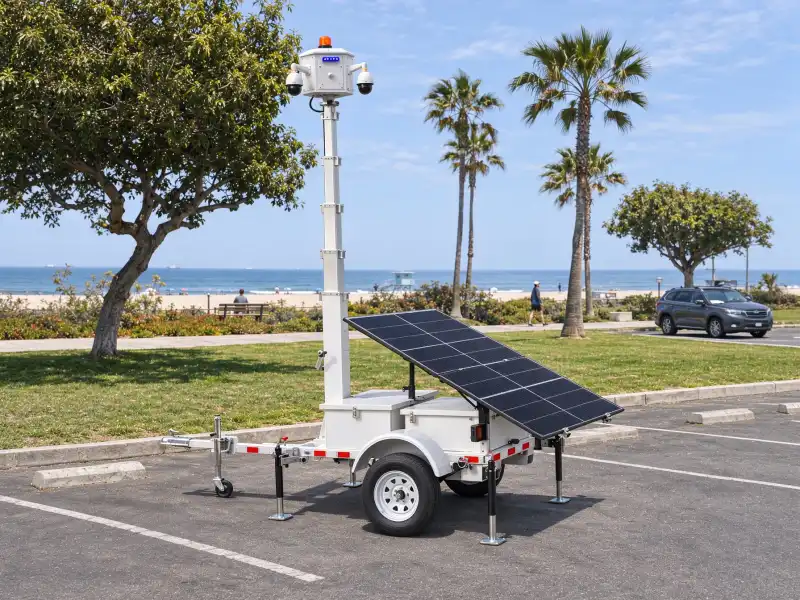
Real camera or decoy? How to tell the difference
A decoy camera usually shows no power source, no wiring, a fixed unmarked lens, and a light that blinks harder than a real device. A working camera needs a way to take power and a way to store or send what it sees.
Fake units are common because they cost little and still discourage casual theft. They are fairly easy to spot once you know what a real installation looks like.
| Visual cue | Working camera | Decoy |
|---|---|---|
| Power | Cable to an outlet, or a panel and battery on a mast | No visible source |
| Cabling | Power and data leads enter the housing | Empty housing at the entry point |
| Lens | Adjustable focus, often with markings | Fixed, unmarked, sometimes plastic |
| Indicator | Steady or subtle status light | Oversized blinking red LED |
| Housing | Sealed against weather, solid in the hand | Light, with visible seams |
| Paper trail | Manual, support page, model listing | No trace in search |
Run through the table before drawing a conclusion. A single odd detail proves little, because wireless cameras legitimately have no data cable and solar units have no mains lead. A combination of missing power, no documentation, and a toy-like housing is a much stronger signal.
Why mobile solar surveillance trailers change the answer
On a trailer-mounted system the signs are easier to read. A mast, a solar panel, an exposed camera housing, and visible cabling all tell you the unit is built to run in the field, and its online state is usually available through the same platform that shows its footage.
What stays visible on a trailer-mounted system
Indoor cameras are made to disappear into a room. A solar surveillance trailer does the opposite. The camera sits high on a telescopic mast, the panel faces the sky, and the control box and battery sit at trailer level where a technician can reach them. Almost nothing is hidden. Portable surveillance cameras on trailers can be checked with a short walk-around: is the mast raised, is the panel clean and angled toward the light, and is the housing pointed at the area it is meant to cover.
That visibility is part of the design. At a remote gate or a night worksite, the sight of a camera on a tall mast acts as a deterrent before it acts as a recording device, so operators do not try to conceal it.
Power and monitoring without grid connections
Because there is no mains plug, the old habit of checking for a power cable does not work here. A mobile surveillance trailer runs from a panel and battery bank. Look at the charge controller or the status display in the control box, then confirm the unit on the monitoring platform. A live thumbnail and a recent last-seen time mean the camera is communicating over the cellular or wireless link. A stale timestamp points to a power shortfall or a signal problem, which is a more likely explanation than tampering.
Operators who deploy several units at once rely on that platform view. It turns the question of whether a camera is on into a status column, and it lets a crew clear a fault before the next shift starts. The same logic applies to a mobile surveillance vehicle used for temporary coverage: the platform, not the LED, is the source of truth.
What to look for in a solar surveillance trailer for sale
When you compare systems, look past the camera resolution. Power budget, mast and camera configuration, and the ability to check online and recording status remotely decide whether the unit will still be working after it reaches the site.
Power and runtime
Ask the supplier to describe the power budget in plain terms: panel output, battery capacity, and what the system draws with the camera, the PTZ motors, and any heaters running. Then ask for expected operating time under ordinary conditions, not the best case. A solar surveillance camera trailer that only holds a charge in strong summer sun will spend part of the year off the platform, and that gap shows up in the last-seen timestamp rather than in the brochure.
Camera and mast configuration
Match the camera to the job. A zoom lens and a motorized head suit wide perimeters where one unit has to cover several angles. Low-light performance and infrared reach matter more than headline resolution when the site is dark. Mast height, wind rating, and the way the trailer levels on uneven ground all affect whether the image stays usable. Some deployments pair the camera with area lighting on the same mast, as covered in the overview of solar surveillance lighting trailers, so one setup handles both visibility and identification. An advanced mobile surveillance trailer with a stable mast and a well-matched lens will hold its image quality through a long night shift.
Remote monitoring and storage
Finally, check what you can see after handover. A mobile surveillance trailer camera system that reports connection state, last motion event, and available storage makes the on-or-off question answerable from a desk. Decide whether footage stays on the unit or goes to a remote server, and confirm how recording settings are changed. Unique passwords, two-factor authentication, and a clear update path matter as much in the field as they do on an indoor camera.
Frequently asked questions
Can a camera be on with no visible indicator light?
Yes. Many models allow the owner to disable the indicator, and some are built without one. In that case the light tells you nothing, so use the network device list or the management platform instead. Where the camera belongs to someone else and shows no light, there is no reliable way to confirm its state from outside the housing. If notice or consent is required at that location, check the local rules rather than relying on the LED.
Do solar trailers record around the clock?
It depends on the recording mode and the energy budget. Continuous capture is possible but draws more power, so many field units use motion-triggered recording or defined time windows. Ask for expected runtime at the settings you plan to use, and confirm whether the platform shows recording history or only connection status.
What should I verify in a mobile surveillance trailer camera system before buying?
Check three things. First, whether the platform reports online state and last-seen time clearly. Second, whether you can reach the event history and change recording modes without a site visit. Third, what happens after a power loss: does the unit restart recording on its own, and does it alert you when it drops offline. Those details matter more in daily use than any single specification on a datasheet.