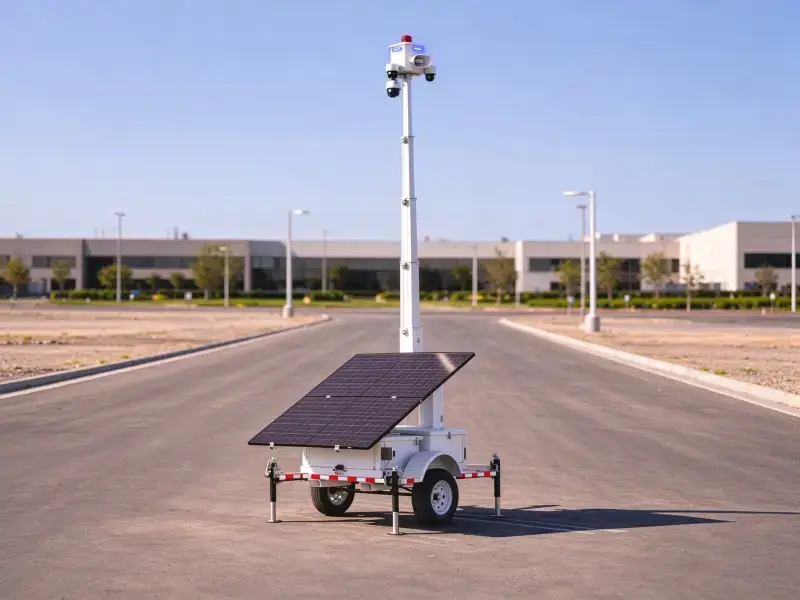
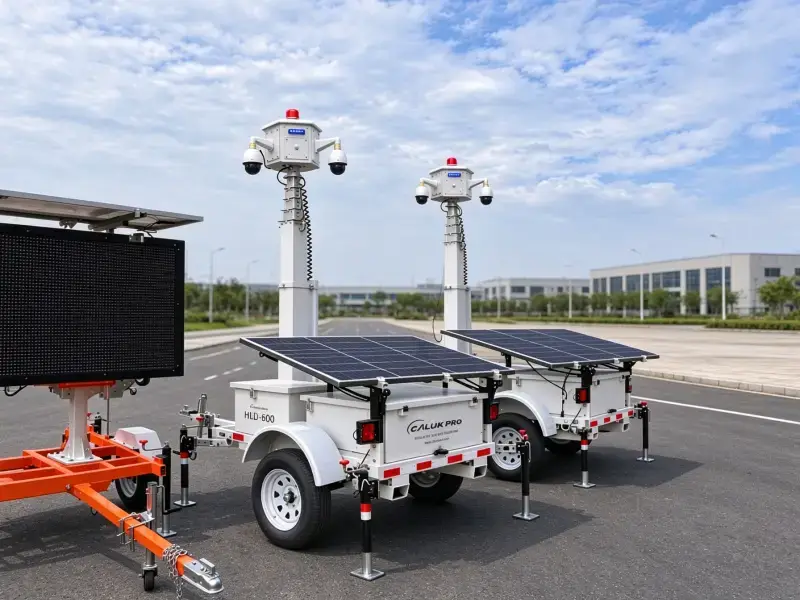
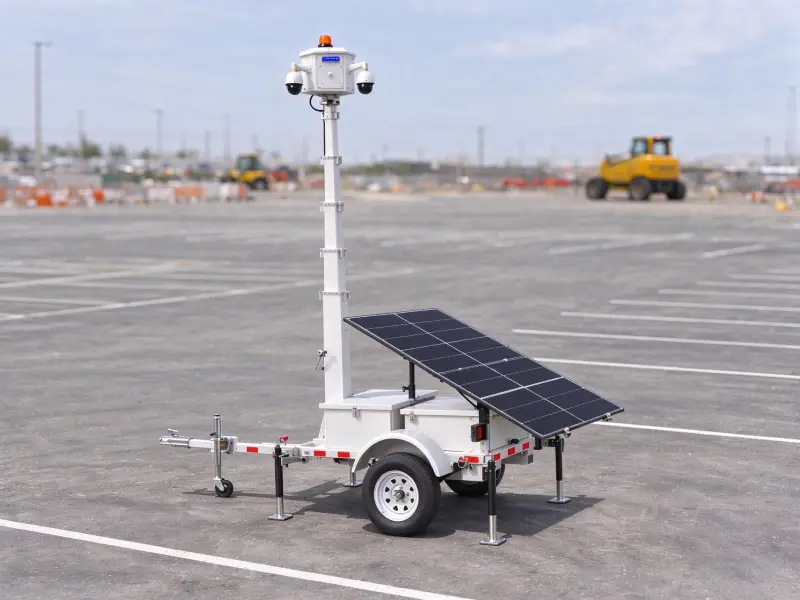
Solar-powered security cameras have moved well beyond the home driveway. Across construction sites, remote utilities, and temporary events, a solar surveillance camera trailer can be deployed where grid power does not reach. That independence raises a practical question for buyers: if the sun runs the camera, does the internet still matter? The answer shapes storage choices, monthly costs, and whether you can watch footage from a distance.
No, a solar camera does not need internet to record. Sunlight supplies the power, while the onboard drive stores the video. Internet or cellular service is only needed to watch footage remotely or send alerts. A solar surveillance trailer can monitor a site, record events, and keep evidence completely off the grid.
Understanding where the network fits helps you choose the right setup.
Do solar cameras work without Wi-Fi?
Yes. Solar cameras record without Wi-Fi because the panels supply power and the onboard drive holds the video. Wi-Fi is one way to send footage off-site, not a requirement for capturing it.
People often treat “solar” and “wireless” as the same feature. They are not. Solar describes how the system gets electricity: panels charge a battery, and the battery runs the camera, usually through a charge controller. That power chain works the same whether the camera is tied to a network or completely isolated.
Connectivity is a separate decision. A solar trailer can pair its power system with several network options. It can record to a local drive with no network at all, send video over a cellular modem, or link to a nearby router when Wi-Fi is available. Each option changes what you can see from a distance, but none of them changes the camera’s ability to record.
That distinction matters for a solar surveillance trailer parked at a remote gate or a construction perimeter. The panels keep the system running through long shifts, and the network choice only decides whether an operator can watch live video from an office. Units bought for off-grid work are usually specified around local recording first, with connectivity added only if remote monitoring is needed.
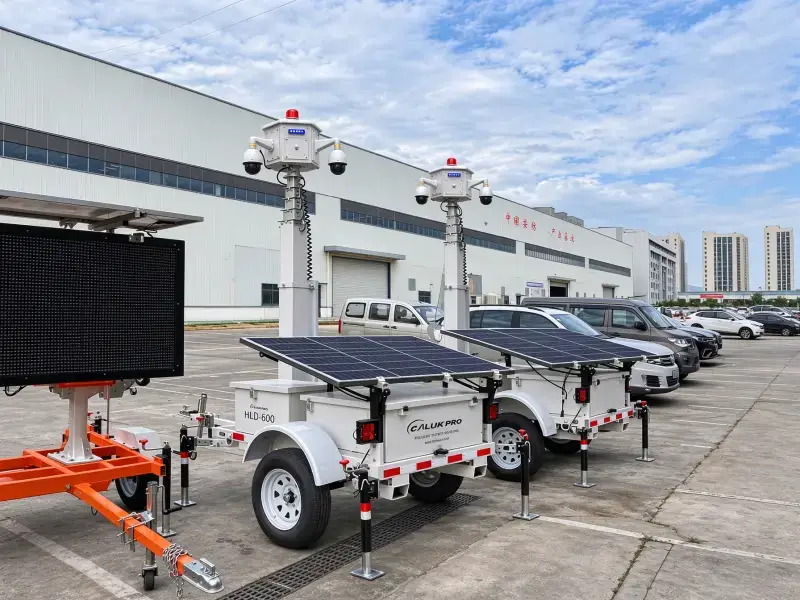
How do solar surveillance cameras work without internet?
They record to onboard storage, connect through a cellular network, or use a wired link. Only the last two send video off-site; all three capture footage without a Wi-Fi router.
Three approaches cover almost every off-grid installation. The comparison table later in this article sets out the trade-offs, but the mechanics are worth understanding first.
Local storage and onboard recording
With local storage, the camera writes video straight to a hard drive or memory card inside the unit. No network connection is involved at any point. This is the simplest form of offline surveillance, and it is the reason a closed-circuit television (CCTV) system can run without any external link. The term itself describes a system that feeds a limited set of recorders or monitors rather than broadcasting to the public (closed-circuit television).
Storage capacity sets the ceiling. A 1 TB drive holds roughly one to two weeks of continuous 1080p video from a single camera, depending on compression and frame rate. Motion-triggered recording stretches that window considerably because the drive only writes when something changes. For a mobile surveillance trailer camera system covering a large perimeter, operators often set recording schedules around active hours to make the storage last longer between service visits.
Cellular and 4G/LTE connectivity
A cellular camera uses a SIM card and a mobile data plan instead of a router. When a site sits beyond Wi-Fi range but has usable signal, this option sends live video and alerts to a phone or monitoring center. Coverage quality, not distance from an office, becomes the limiting factor.
The trade-off is an ongoing cost. Most cellular setups need a data plan after any trial period, and heavy live streaming consumes data quickly. Many operators set the camera to send short event clips rather than a constant stream, which keeps monthly usage predictable. A mobile surveillance trailer for sale with a cellular kit is a common choice for farms, gates, and temporary jobsites where a router would be impractical.
Wired and point-to-point links
Where a cable run is possible, wired Ethernet avoids wireless interference entirely. For longer distances across a site, point-to-point wireless bridges link a camera cluster to a network hub without a public internet connection. These setups suit permanent or semi-permanent installations, such as a utility compound or a fenced yard, where camera positions rarely change.
A mobile surveillance vehicle can also carry its own local network, giving several cameras a shared connection that never leaves the site. That setup keeps footage inside a controlled perimeter while still letting an operator on site view it on a monitor or tablet.
Can a security camera record if there is no Wi-Fi?
Yes. Recording is a local process. A camera writes video to its own storage whether or not a network exists; only remote viewing depends on a connection.
Separating capture from access clears up most confusion about offline cameras. The camera performs three jobs that people often lump together: capturing video, storing it, and making it available elsewhere. The first two need power only. The third needs a network.
| Function | Needs power | Needs internet |
|---|---|---|
| Capturing video | Yes | No |
| Saving to local storage | Yes | No |
| Viewing live on site | Yes | No |
| Watching from a phone | Yes | Yes |
| Sending cloud alerts | Yes | Yes |
A solar cctv trailer keeps recording through an internet outage because the drive sits inside the unit. That is a real advantage where the network is unreliable: the footage survives even when the connection drops. Operators who need evidence after an incident can collect the drive or wait for the camera to reconnect, depending on how the system is configured.
Advanced mobile surveillance trailer models often combine local recording with optional cellular upload, so footage is stored on-site as a safeguard even when the data link is working. The recording never depends on the link staying up.
Can I connect my security camera to my phone without Wi-Fi?
Sometimes. A cellular camera streams to your phone over the mobile network. A local-storage camera needs your phone to have internet, but the camera itself records without any connection.
The wording matters here. “Connecting to a phone” can mean two different things.
For a cellular unit, the camera has its own data connection. Your phone reaches it through the mobile network, so as long as both devices have service, live viewing works from anywhere. No local Wi-Fi is involved.
For a local-storage unit, the camera records on its own, but your phone needs internet to reach the app and pull footage remotely. The camera is not waiting for a network to record; it is simply offline from the app’s point of view until your phone connects. Some systems also allow direct access when a phone is on the same local network as the camera, which works without any internet service at all.
This distinction shapes what “remote monitoring” means for portable surveillance cameras on trailers. If live access matters, budget for cellular. If reviewing footage after the fact is enough, local storage keeps costs lower.
Solar Wi-Fi vs cellular vs local-only: a quick comparison
Solar Wi-Fi suits spots with a strong router signal. Cellular suits remote sites with coverage. Local-only suits anyone who just needs footage recorded and collected on site.
All three options run on the same solar power system. The difference is how video leaves the camera, if it leaves at all.
| Factor | Solar Wi-Fi | Cellular (4G/LTE) | Local only |
|---|---|---|---|
| Connection | Home or site router | Mobile network | None |
| Router needed | Yes | No | No |
| Data plan | Uses existing internet | Usually required | None |
| Best for | Yards, entrances, covered areas | Far gates, farms, jobsites | Remote or private sites |
| Main limit | Wi-Fi range | Signal strength and data cost | No remote viewing |
A Solar Trailer CCTV unit with Wi-Fi is the simplest option where a router already reaches the mounting point. Test the signal at the exact camera position, not just indoors, before committing. Cellular removes the range problem but adds a monthly bill and depends on local coverage. Local-only recording avoids both costs and is often the right answer for sites where nobody needs to watch live.
Surveillance trailers for sale are commonly offered with one of these configurations pre-installed, and some allow an upgrade from local storage to cellular later. Choosing based on the site, rather than on the longest feature list, keeps the system practical.
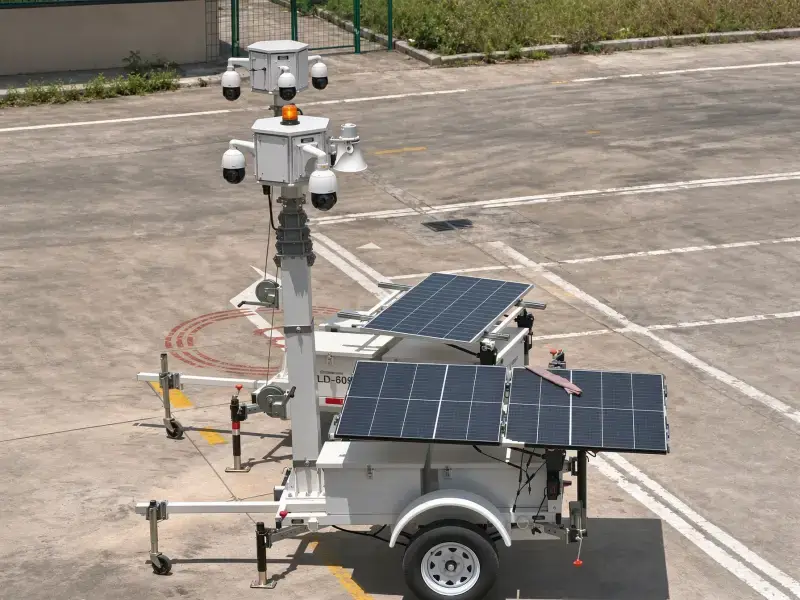
When does a solar surveillance trailer make sense off-grid?
Off-grid surveillance pays off where power is hard to run, internet is absent, and coverage must move with the work. Temporary and remote sites gain the most.
Construction sites and temporary perimeters
Buildings change shape as a project progresses, so fixed cameras leave gaps. A towable unit can be repositioned as work shifts to a new phase, and the solar system removes the need to trench power to each location. Recording stays local, which matters where site offices have no permanent network.
Theft of materials and equipment is a common driver. A visible camera on a high mast discourages intruders, and the recorded footage supports insurance claims when it does not.
Remote utilities, mining, and energy assets
Substations, pipelines, and remote yards sit far from grid power and broadband. Here a solar surveillance lighting trailer setup combines illumination with monitoring, so the site is both lit and recorded through the night. Cellular links work where a tower provides coverage; local storage covers the gaps.
Harsh environments favour this approach. With no cable runs to maintain, there is less infrastructure for weather or ground movement to damage.
Events, parking lots, and public spaces
Temporary events need security that arrives and leaves with the crowd. A mobile surveillance trailer can be towed in, set up in minutes, and used to monitor parking areas, entry points, and perimeters without a permanent installation. Once the event ends, the unit moves to the next site.
For public spaces, the same flexibility supports seasonal coverage. A car park that needs extra attention during holiday periods can be monitored without adding fixed infrastructure that sits unused for the rest of the year.
What does a no-Wi-Fi setup cost over time?
The hardware is a one-time cost. Cellular data and cloud storage are the recurring items, and both can be kept low by recording locally and uploading only event clips.
Looking beyond the purchase price prevents surprises. A no-Wi-Fi system avoids a broadband line, but it may still carry running costs.
| Cost item | Solar Wi-Fi | Cellular | Local only |
|---|---|---|---|
| Solar and camera hardware | One-time | One-time | One-time |
| Broadband line | Existing | Not needed | Not needed |
| Mobile data plan | None | Monthly | None |
| Cloud storage | Optional | Optional | None |
| Site visits for drive collection | Rare | Rare | Regular |
The largest variable is how much video you send over the network. Continuous streaming consumes far more data than short clips triggered by motion. Most operators record everything locally and upload only flagged events, which keeps a cellular bill predictable.
Battery health is another factor. Solar panels extend runtime, but the battery still degrades over several years and will eventually need replacement. Planning for that cost keeps the system reliable through its service life.
How to choose the right off-grid surveillance setup
Start with what the site can support, then decide whether you need live access. Power and signal come before camera features.
Work through these questions in order. Each one narrows the configuration.
- Check sunlight at the mounting point. Shade from buildings or trees reduces charging, so confirm the panels get several hours of direct sun each day.
- Test mobile signal if you want remote viewing. A weak signal affects live video more than local recording.
- Decide whether live access is necessary. If reviewing footage later is enough, local storage removes the data plan entirely.
- Size the storage to your recording schedule. Count cameras, frame rate, and how many days of footage you need before a service visit.
- Confirm power for night operation. Infrared lighting and heaters draw extra current, so the battery and panel array must cover the worst-case week, not an average one.
- Check local rules on recording and signage. Public areas often require notice that cameras are in use.
For larger sites, integrated intelligent traffic control solutions can bring cameras, lighting, and signage under one plan, so the power and network design is handled as a whole rather than added piecemeal.
Frequently asked questions
How long can a solar camera run without sun?
Most systems are sized to run for several days to a week on battery alone, assuming normal recording and no heavy night lighting. Continuous cloud streaming or cold weather shortens that window. Checking the battery capacity and the panel’s daily output gives a realistic figure for a specific site.
Does a solar surveillance trailer need a SIM card?
Only if you want remote access over a cellular network. A solar surveillance camera trailer set up for local recording works without a SIM card, with footage stored on the onboard drive. When comparing a solar surveillance trailer for sale, check whether the cellular kit is included or offered as an upgrade, since that changes the running cost.
Can footage be used as evidence if there was no internet?
Yes, provided the recording is clear and the system’s clock is accurate. Local footage stored on a drive is accepted in many contexts, though chain-of-custody rules apply. Keeping the drive secure and noting the time settings helps preserve its value. A mobile surveillance trailer for sale with GPS time sync is useful where timestamps matter.